
Twitter Thumbnail Downloader
Easily extract and save HD thumbnails from any Twitter (X) video or GIF. No app installation required. Safe, fast, and 100% free!



How to Use Twitter Downloader?
Looking for the thumbnail of a viral Twitter video? Just paste the tweet link and download the original HD preview image instantly. Here’s how to use TweeterDownloader.com in just 3 easy steps:
Open the desired video on X.com, tap Share, and then Copy Link.
Paste the copied link in the search input above, and click “Fetch Media“.
Wait for the downloading progress to finish, and then download video cover.
How to Download Twitter Thumbnails using TweeterDownloader?
Using our tool is super easy. Just follow these 3 simple steps:
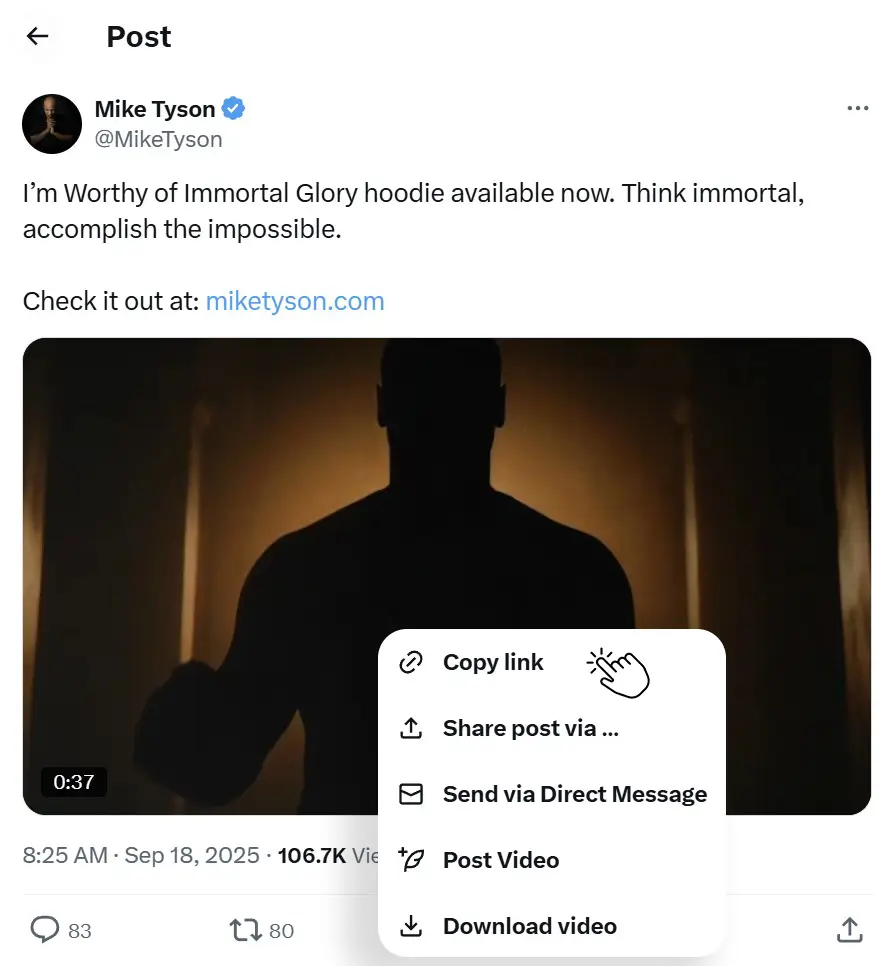
Copy the Tweet Link
Open the Twitter (X) app or website. Find the video you like, click the “Share” button, and select “Copy Link.”
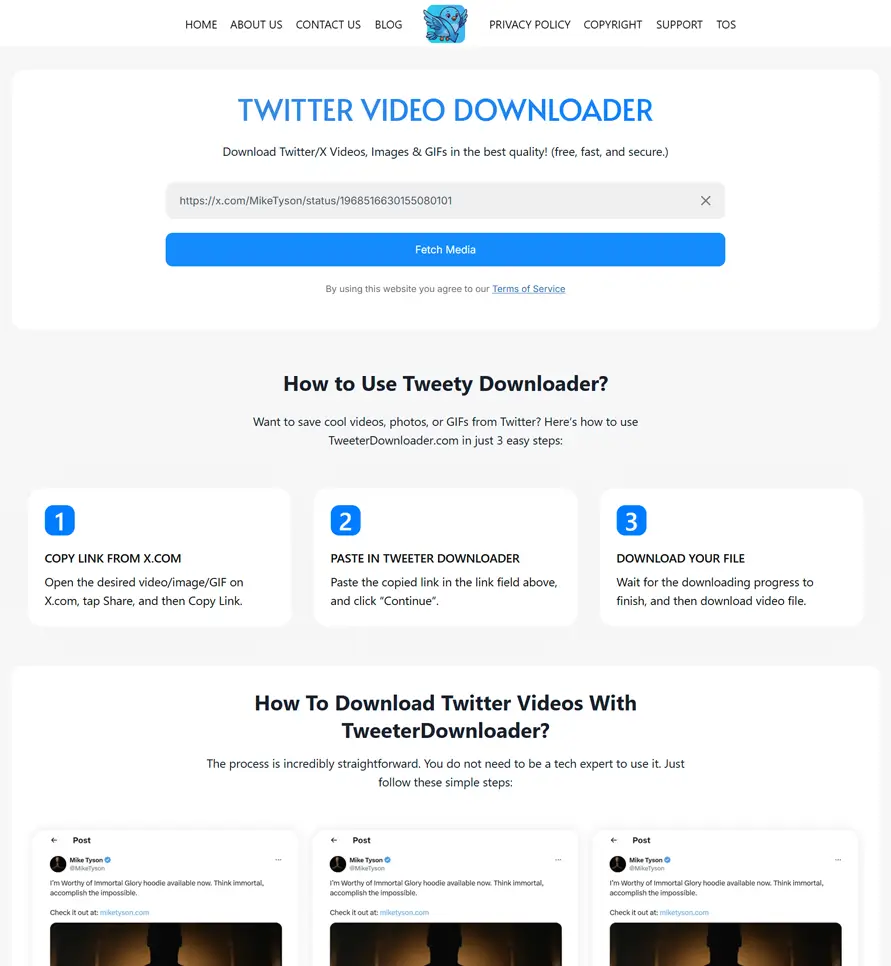
Paste the Link Here
Come back to X Thumbnail Downloader page and paste that link into the search box above.
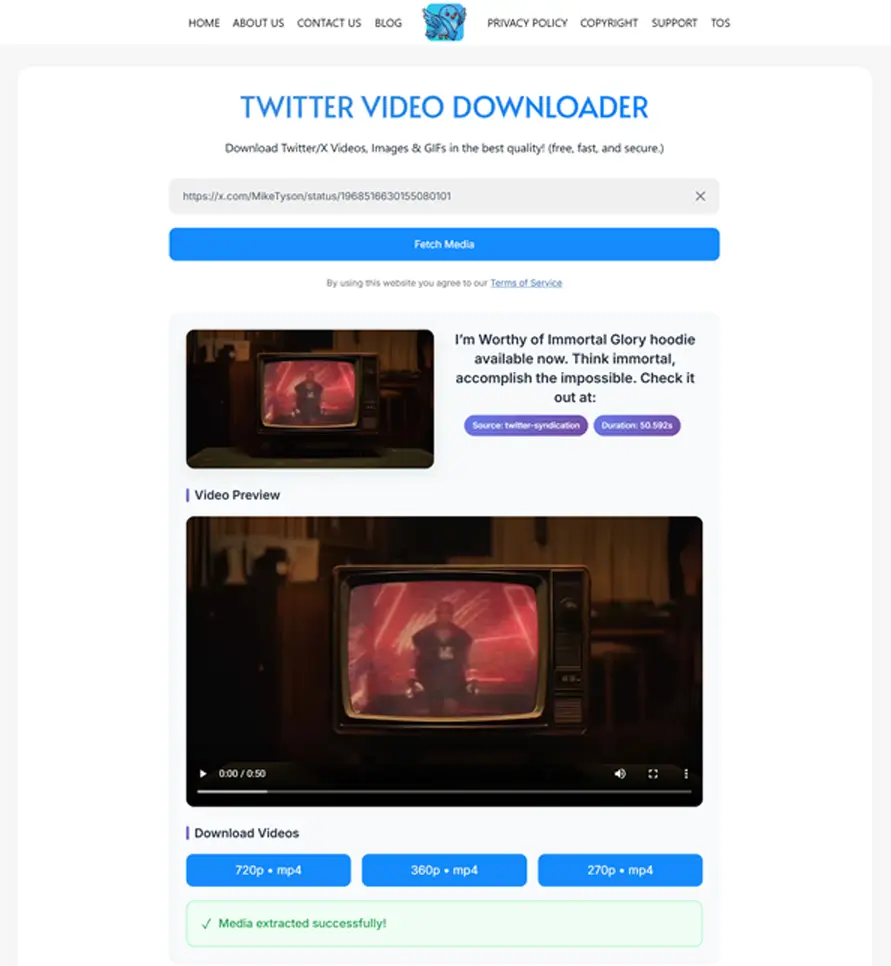
Download the Thumbnail
Click the “Fetch Media” button. In a few seconds, the HD thumbnail will appear. Click “Download Thumbnail (HD)” to save it directly to your phone or computer!
Frequently Asked Questions
“Do you still have questions about how our Twitter Thumbnail Downloader works? We understand! Below, we have put together answers to the most common questions our users ask. Read through them to learn more about saving HD cover pictures from X (Twitter) videos safely and easily.”
Yes, downloading a thumbnail for personal use is completely fine. However, if you plan to use the image for business or commercial purposes, you should always respect the original creator’s copyright.
Not at all! Our downloader fetches the exact original image uploaded to Twitter. You will get the highest quality available.
Yes! Our website is fully mobile-friendly. You can easily save images to your iPhone Camera Roll or Android Gallery.
No. To protect user privacy, our tool only works with public tweets. If an account is locked or private, we cannot access its media.
This usually happens if the tweet has been deleted, if the account is private, or if you copied the wrong link. Please make sure the link includes “status” and a string of numbers (e.g., x.com/user/status/123456789).
Taking a screenshot of a video often gives you a blurry image. It also captures annoying things like the play button, video timeline, or tweet text. Our tool extracts the clean, original, and high-quality (HD) background image directly from Twitter’s servers, so it looks perfect!
Why Use Our Thumbnail Downloader?
We built this tool to be the best on the internet. Here is why users love it:
100% Free Forever: You don’t have to pay anything. There are no hidden fees.
High Quality (HD): We extract the highest resolution image available directly from Twitter’s servers.
No App Required: Why fill up your phone storage? Our web tool works directly in your browser (Chrome, Safari, Firefox).
Super Fast & Safe: Your downloads start instantly. We do not ask for your password, and we do not track your downloads.
Works on All Devices: Whether you are using an iPhone, Android, Tablet, or PC, the downloading process is smooth and easy.
What is Twitter Thumbnail Downloader?
Every video or GIF on Twitter (X) has a snapshot or a “cover photo” that you see before you click the play button. This picture is called a thumbnail. Sometimes, you might see a helpful chart, a funny meme, or a beautiful picture on a video’s cover and wish you could save it.
Our Twitter Thumbnail Downloader is a simple, free online tool that does exactly this. Instead of taking a bad-quality screenshot with your phone, you just paste the tweet link here. Our tool goes to Twitter’s servers, finds the original, clear picture (Thumbnail), and lets you download it to your device instantly.
If you want to save the actual video instead..
🌟 What Makes Our Thumbnail Downloader Different?
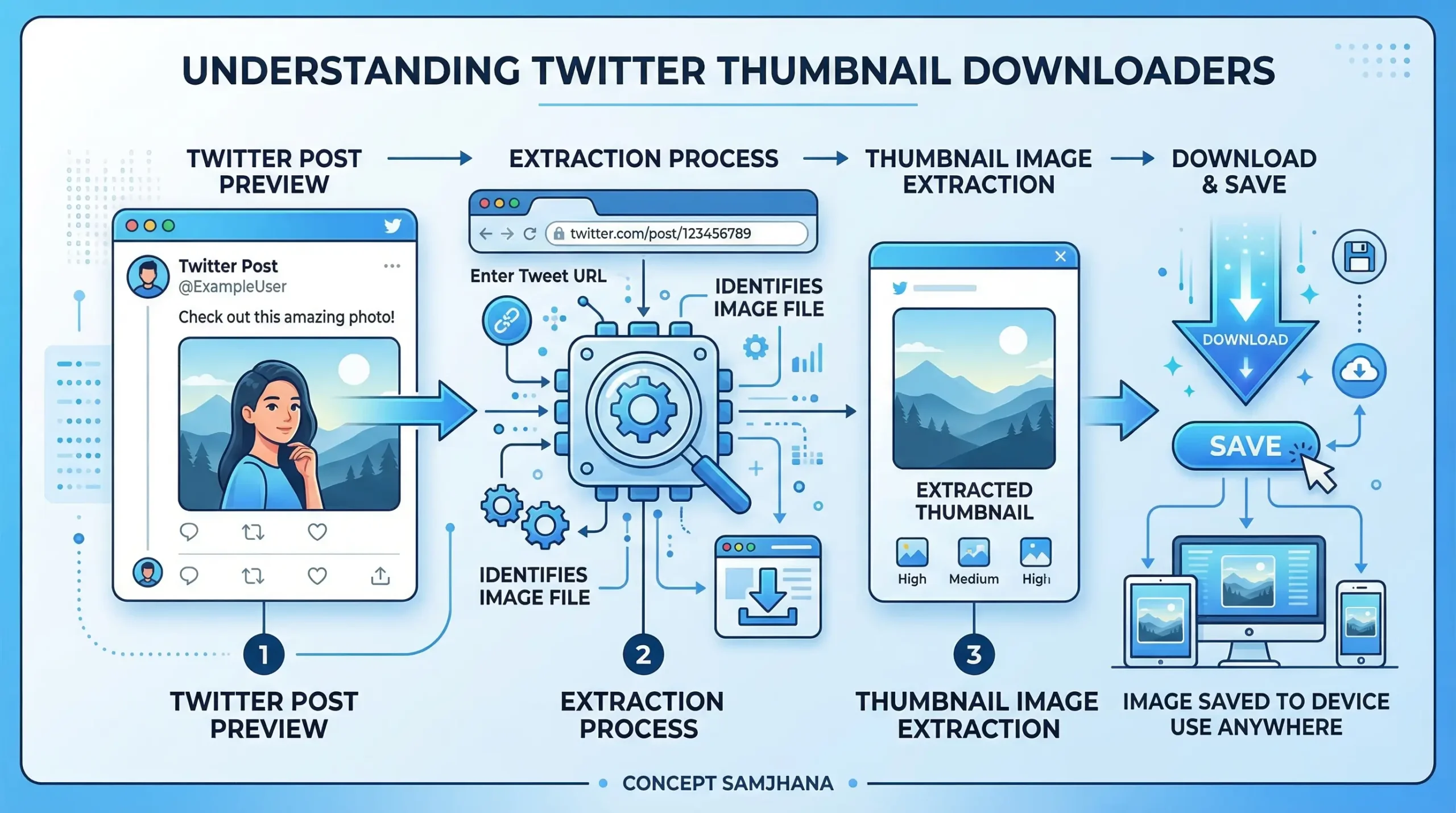
There are many downloaders on the internet, but here is what makes ours special and trusted by thousands of users:
- First, we care about Quality. When you use our tool, we do not compress or ruin the image. We extract the original High-Definition (HD) image exactly as the creator uploaded it.
- Second, we focus on Your Privacy and Safety. We never ask you to create an account, log in with your Twitter details, or download any sketchy software. Your device stays safe, and your download history is completely private. You just paste a link, click download, and you are done!
🌟 Top Features of Our Downloader:
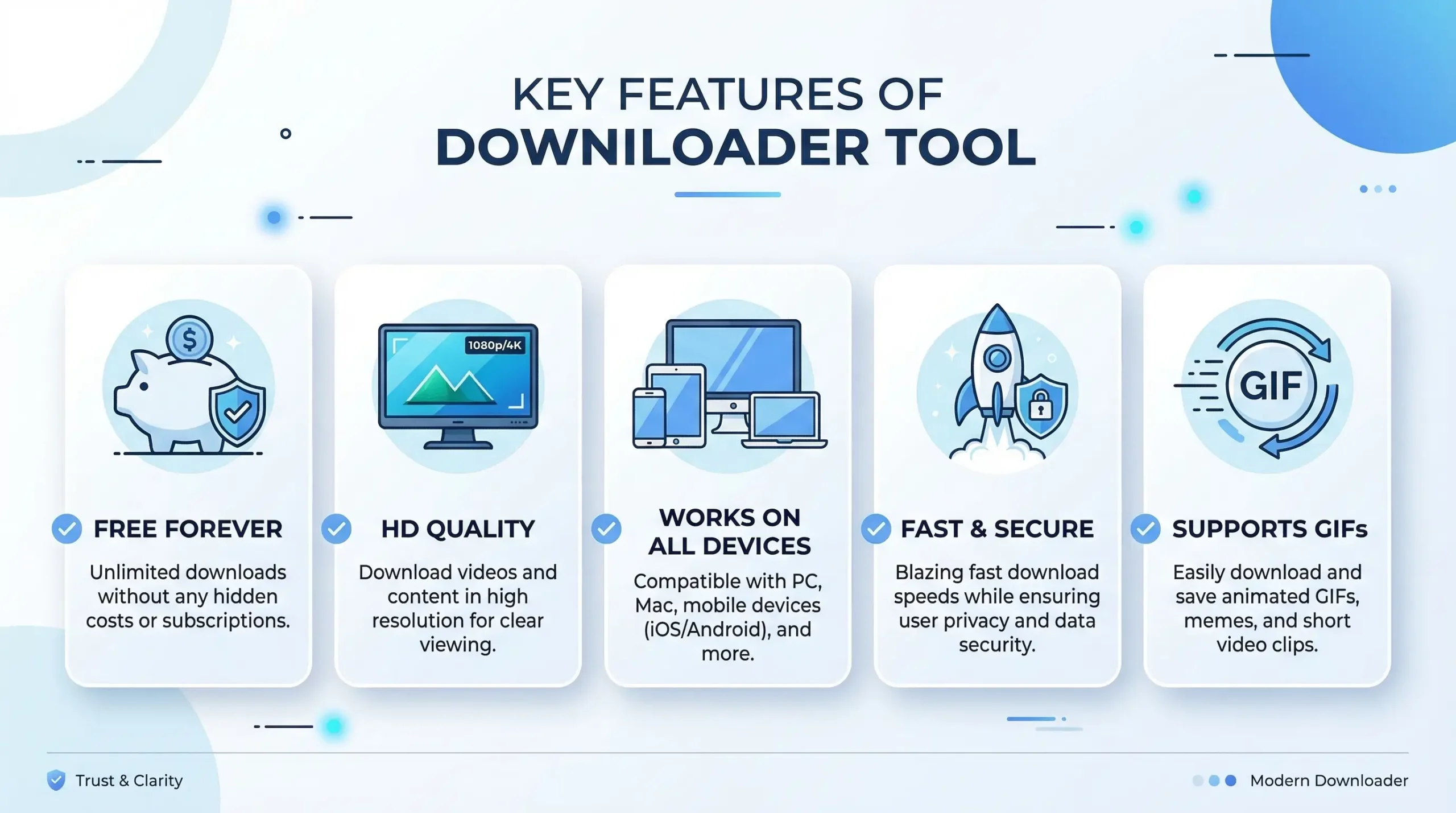
We designed this tool to be fast, easy, and useful for everyone. Here are the top features you will enjoy:
✅ 100% Free Forever
There are no limits and no premium memberships. You can download as many thumbnails as you want, completely free.
✅ Original HD Quality
Get the crispest, sharpest image available, direct from the source.
✅ Works on All Devices
Whether you are using an iPhone, an Android tablet, a Mac, or a Windows PC, our website works flawlessly everywhere.
✅ Fast & Secure
No waiting times! Your download is ready in just a few seconds without tracking your personal data.
✅ Supports GIFs Too
Did you find a funny GIF and want its cover picture? Just paste the link! We extract thumbnails from both videos and GIFs easily.
✅ No App Needed
Save your phone’s memory. You don’t need to install any extra applications; our web-based tool handles everything inside your browser.