
Free Twitter to MP3 Converter
Convert or extract audio from any Twitter (X) video and turn it into an MP3 file in seconds. No software, no sign-up, no watermark – paste the video tweet link and your audio file is ready to download.



How to Use Twitter Video to MP3 Converter?
Want to extract audio from your favorite video on Twitter (x.com)? Here’s how to use our Twitter MP3 Converter Tool in just 3 easy steps:
Open the video tweet and Tap the Share icon on the post and select “Copy Link.“
Paste the link into the box above and click “Convert to MP3.“
Download your file. It’s ready in a few seconds.
How to Convert a Twitter Video to MP3
We designed our X to MP3 downloader to be as simple as possible. You don’t need any technical skills. Here is how you can grab the audio from any tweet:
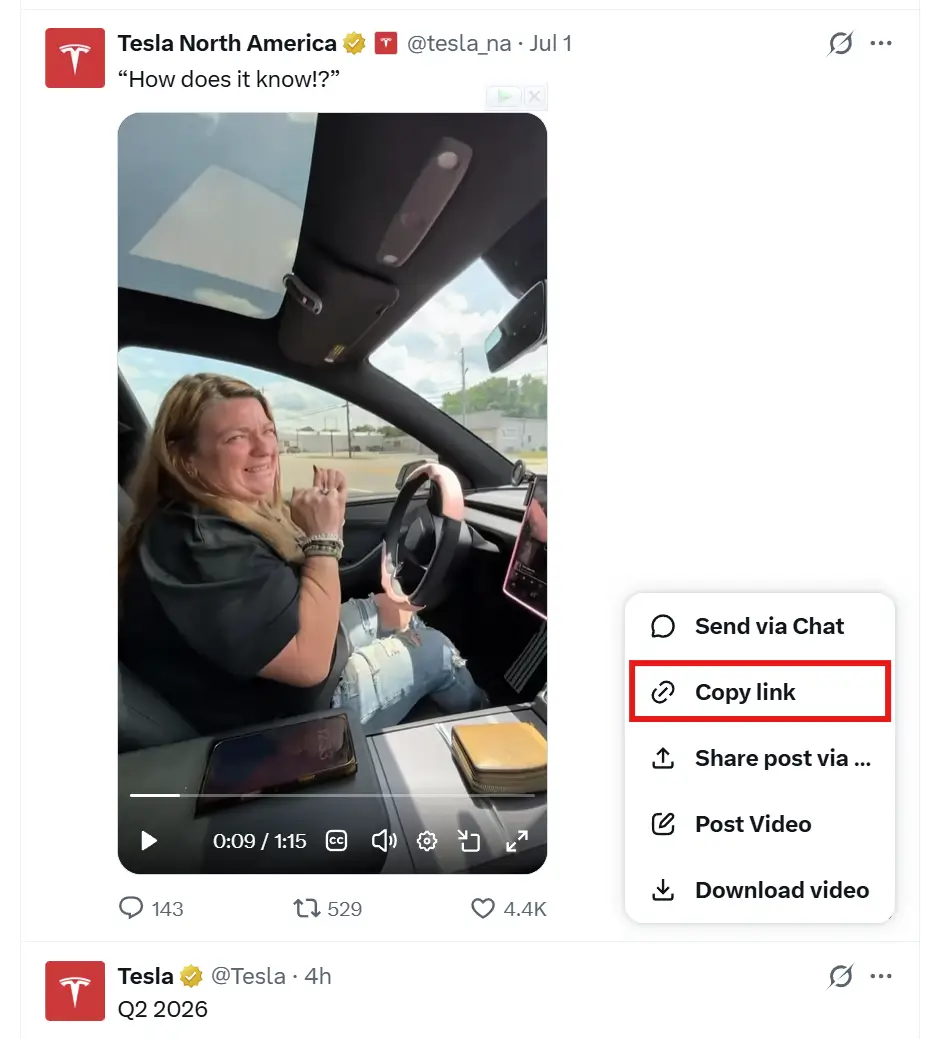
Find the Tweet
Open the Twitter app or website, find the video you want, and click the “Share” icon. Then, select Copy Link.
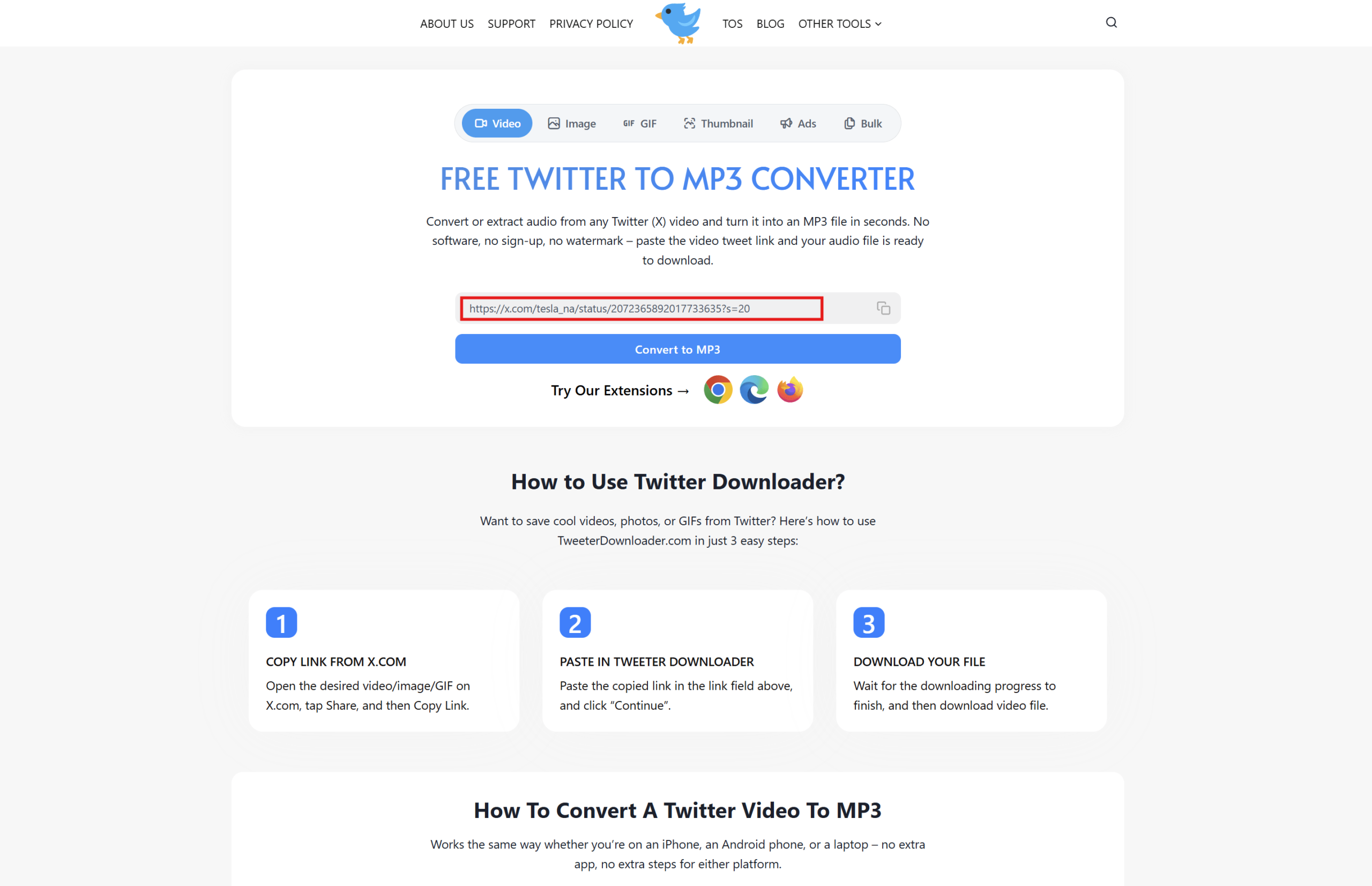
Paste the Link
Come back to this page and paste the link you just copied into the big search box at the top.
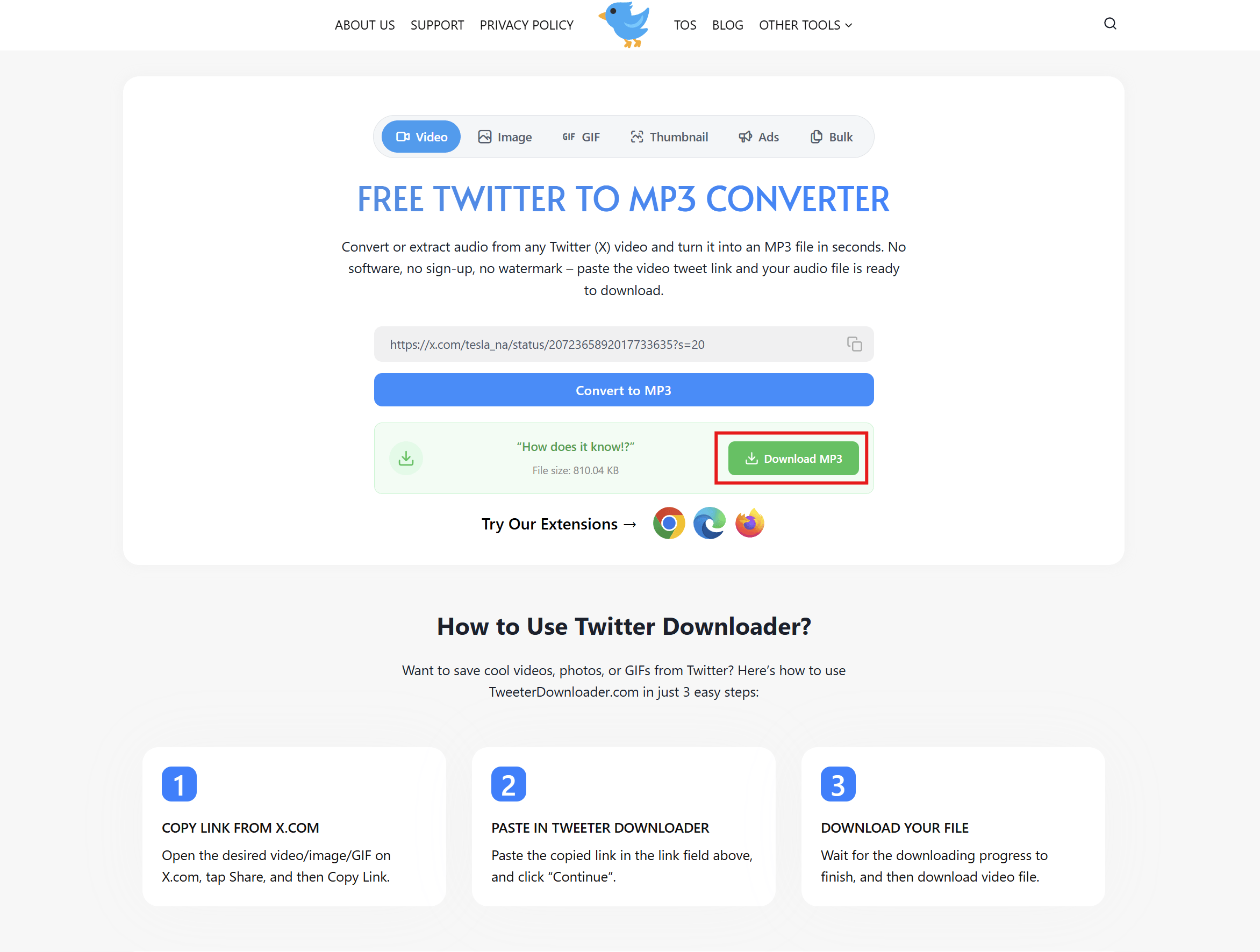
Download MP3
Hit the Convert to MP3 button. Wait a couple of seconds, and your high-quality audio file will start downloading automatically.
TweeterDownloader vs. Other MP3 Converters
Why settle for slow, ad-heavy websites when you can use a tool built specifically for speed? Here is a quick look at why our Twitter audio extractor is the top choice compared to generic alternatives:
| Feature | TweeterDownloader | Other Converters |
|---|---|---|
| Conversion Speed | ⚡ Instant (1-3 seconds) | 🐢 Slow (Takes minutes) |
| Audio Quality | 🎧 Original HD Quality | 📉 Compressed / Low Quality |
| Pop-up Ads | ✅ Clean Interface (No pop-ups) | ❌ Annoying Pop-ups & Redirects |
| Smart Caching | ✅ Yes (Instant repeats) | ❌ No |
| Error Handling | ✅ Fails fast on images/GIFs | ❌ Freezes or crashes |
| Limits | ✅ 100% Free, Unlimited | ❌ Daily limits or paywalls |
Frequently Asked Questions
Got questions about how our X to MP3 tool works? We have compiled a list of the most common queries below to help you understand the downloading process, limitations, and safety features.

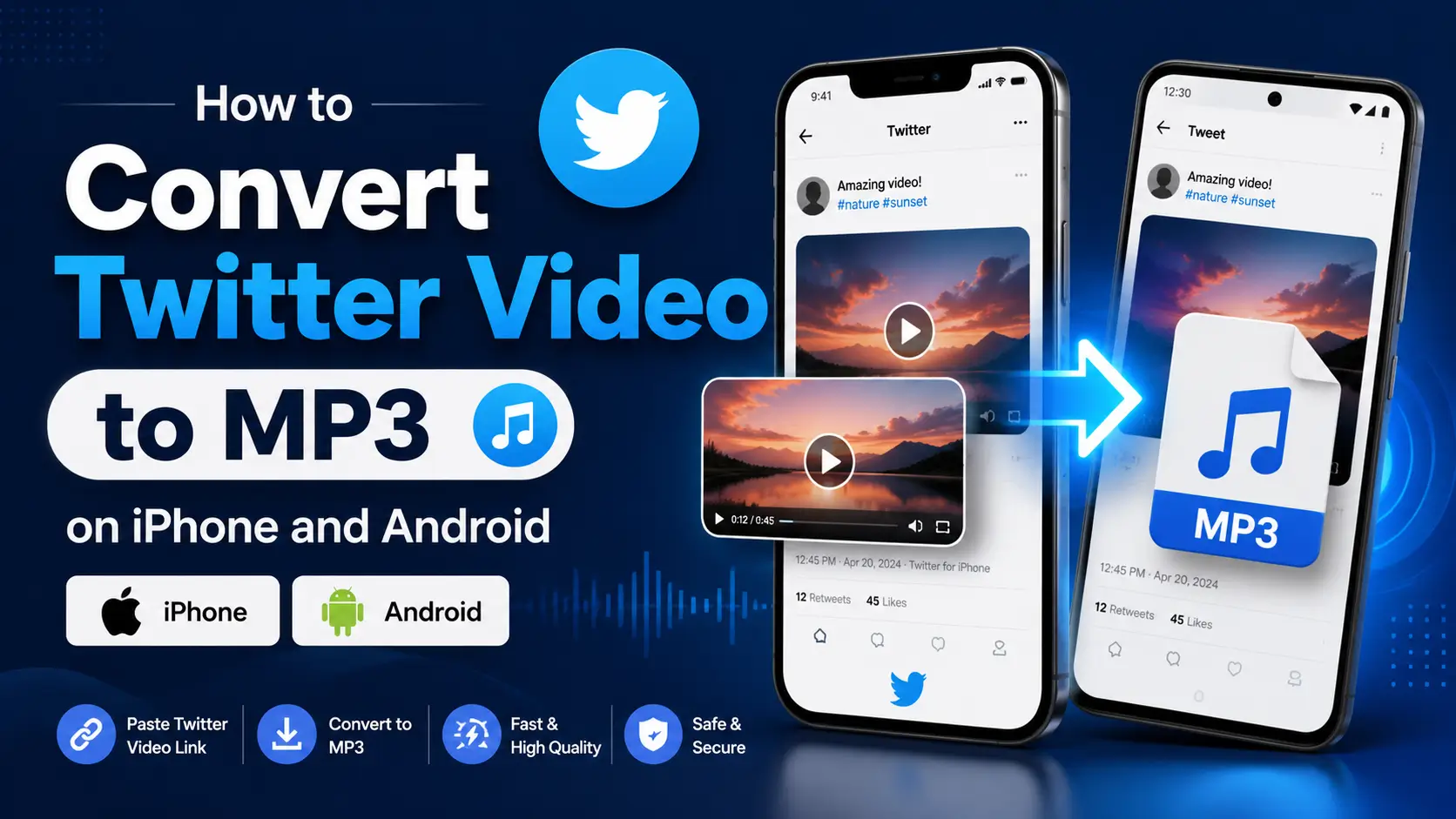
Free Twitter to MP3 Converter: Extract Audio from X Instantly
Ever watched a video on Twitter (now X) and wished you could just save the background music, a funny voiceover, or a podcast clip? You’re in the right place.
Our Twitter to MP3 Converter lets you extract high-quality audio from any public tweet and save it directly to your phone or computer. No annoying ads, no shady apps to install, and absolutely zero limits. Just grab the link, paste it, and get your MP3 file in seconds.
Try Our Other Twitter Downloader Tools
We offer a complete suite of tools to help you save content from X (Twitter). Check them out:
- Twitter Video Downloader: Download HD videos from any public tweet effortlessly.
- Twitter Image Downloader: Save high-resolution images and photos from Twitter in one click.
- Twitter GIF Downloader: Easily save those funny and reaction GIFs directly to your device as MP4 files.
Why We Built This
Twitter is full of good audio – podcast clips, interviews, voice notes, funny reactions, song snippets. But there’s no built-in way to save just the sound. You either keep the full video sitting in your camera roll eating up space, or you lose the clip completely once it’s scrolled past.
Our tool skips that problem. Paste the link, we pull the audio track out of the video, and hand you back a clean MP3 file. That’s the whole idea.
What You Get using our MP3 Converter
There are plenty of downloaders out there, but here is why our users keep coming back:
✅ Real MP3 files, not renamed videos
A lot of “converters” online just rename a video file and call it done. Ours actually pulls the audio track out and encodes it as a proper MP3, so it plays correctly on any phone, music app, or player without weird playback issues.
✅ Audio quality matches the source
We don’t compress or ruin the sound. Whether it’s a 320kbps music track or a standard voice note, you get crystal-clear MP3 files every single time.
✅ Works with any public video that has sound
Interviews, podcast snippets, voice tweets, music clips, comedy skits – if it’s a public post with audio, this tool can extract it.
✅ No watermark, no added intro sound
Some converters stamp their own branding or a sound clip onto your file. We don’t touch your audio. What you download is exactly what was in the tweet, nothing added, nothing cut.
✅ No login, no daily limit
No account, no password, no cap on how many files you convert in a day. Paste a link, get a file, repeat as many times as you need.
✅ No app to install
Works right inside your browser on any device such as phone, tablet, or desktop.
✅ 100% Free and Secure
We believe essential tools should be free. There are no hidden fees, no subscriptions, and you don’t even need to create an account. Plus, we don’t track your downloads or save your files on our servers. Your privacy is totally safe.
✅ Blazing Fast Conversions
Nobody likes waiting. Our backend uses smart technology to bypass video downloading completely. We pull the audio stream directly from X’s servers, which means your MP3 is ready up to 10x faster than traditional converters.
Still have questions or need help?
Please contact us. We will reply to your message as quickly as possible.