
Twitter (X) Bulk Video Downloader
Save time with our Twitter Bulk Video Downloader. Paste multiple tweet URLs to instantly download videos, photos, and GIFs as a ZIP file. No limits, 100% secure.
📦 Download as ZIP
0 items selectedBy using this tool you agree to our Terms of Service



How to Use Bulk Downloader?
Using the tool is super simple. You do not need to install any heavy software.
Go to Twitter (x.com) and copy the links of the tweets containing the media you want to download.
Paste all the URLs in our text box. Make sure to put one link per line. Click the blue “Fetch All Media” button.
You can download individual files by picking your desired size, or click the green “Generate & Download ZIP” button to get them all at once.
How to Download Twitter Videos using TweeterDownloader?
Downloading multiple Twitter videos and images has never been easier. Our free online bulk downloader works directly in your browser, helping you save high quality X media in just three quick steps.
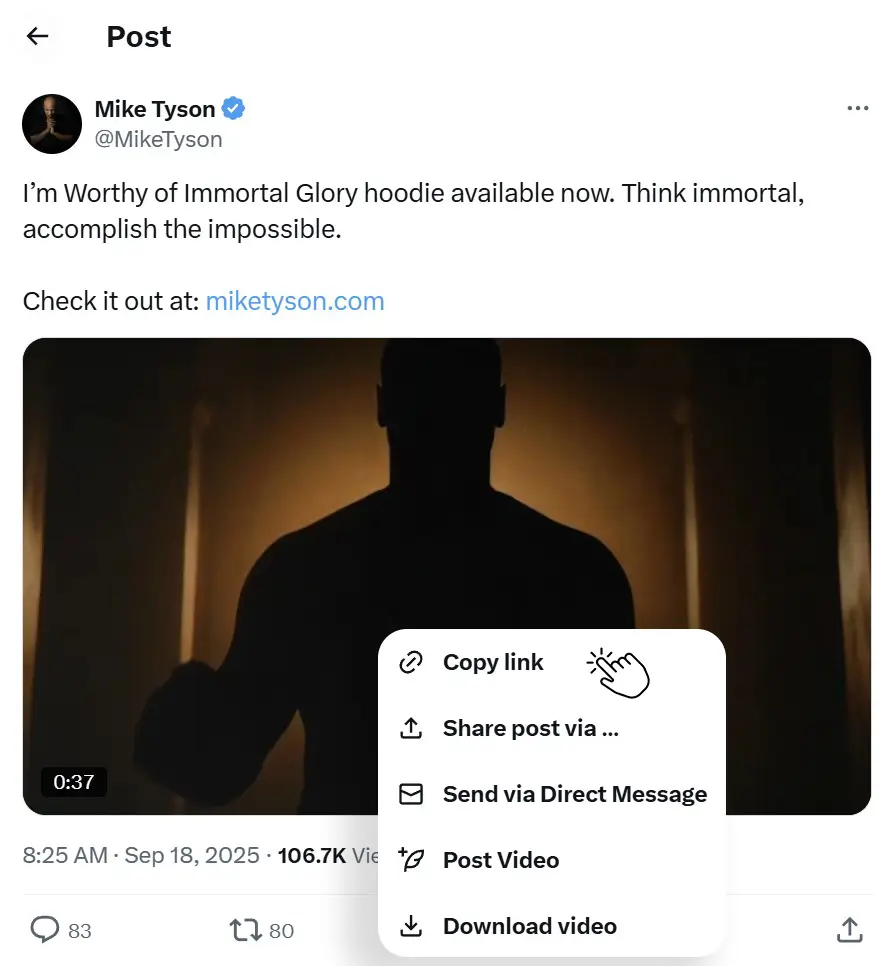
Copy the URLs
Go to Twitter (X.com) and copy the links of the tweets containing the media you want to download.
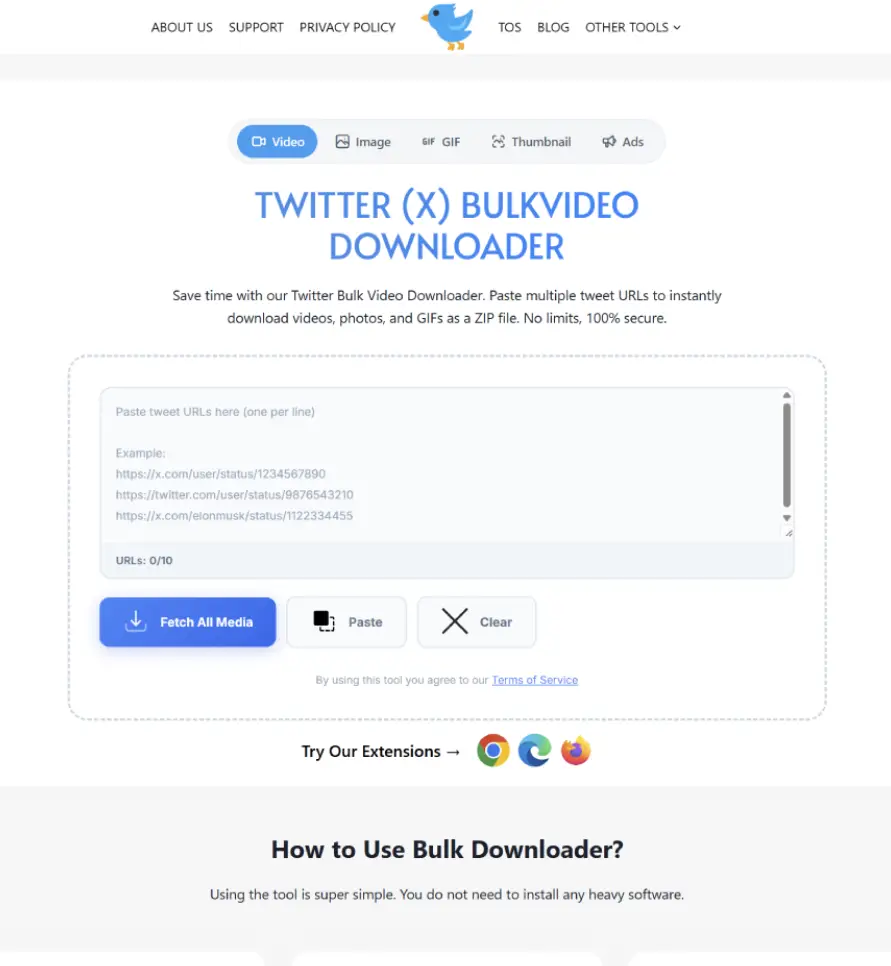
Paste and Fetch
Paste all your URLs into our text box (one link per line) and click the blue “Fetch All Media” button to load the previews.
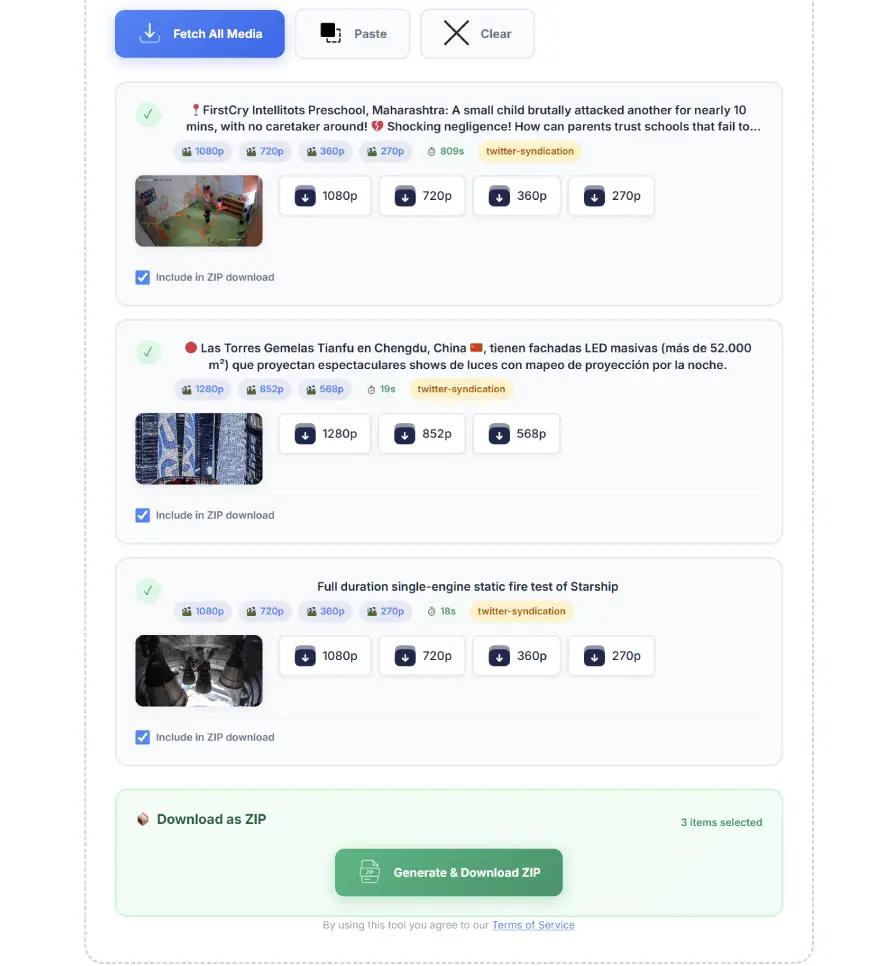
Download or ZIP
Save individual files by picking your desired size, or simply click the green “Generate & Download ZIP” button to get them all at once.
Our Bulk Downloader vs Others?
There are hundreds of Twitter video savers online, but almost all of them are built for a single purpose: downloading one video at a time. We realized that content creators and heavy users need a better, faster workflow. Here is a quick breakdown of why our tool stands out from the standard downloaders you usually find on the web.
| Feature | Our Bulk Downloader | Regular Downloaders |
|---|---|---|
| Multiple URL Processing | Yes (Paste multiple links at once) | No (One link at a time) |
| ZIP File Generation | Yes (Download everything in one click) | No (Save files individually) |
| Gallery Image Support | Yes (Fetches all photos from a tweet) | Limited (Usually just the first image) |
| Quality Selection | Choose from Small, Medium, Large, or Original | Often forces a single default resolution |
| User Experience | Clean, fast, and secure | Often filled with intrusive popups and ads |
Frequently Asked Questions
Before you start downloading your favorite Twitter videos and photos, you might have a few questions in mind. Below, we have answered some of the most frequently asked questions to help you understand exactly how our bulk downloader works and keeps your files secure.



Saving Twitter (X) videos/images one by one is frustrating. You copy a link, paste it in a downloader, save it, and then go back to do it again for the next video. It takes too much of your valuable time.
That is exactly why we built the Twitter Bulk Video Downloader. It lets you grab dozens of videos and images at once. Just paste your links, hit fetch, and download everything neatly packed in a single ZIP file.
Explore Our Other Twitter Tools
If you only need a specific type of media or want to try our specialized downloaders, check out our other free tools below:
- Twitter Video Downloader: Easily save high quality photos and image galleries from any tweet directly to your device.
- Twitter Image Downloader: Easily save high quality photos and image galleries from any tweet directly to your device.
- Twitter GIF Downloader: Save your favorite animated memes with our dedicated GIF saver. It downloads them instantly as ready-to-share video files.
- Twitter Thumbnail Downloader: Grab the cover image or thumbnail of any X video in seconds. Perfect for content creators and bloggers.
- Twitter Ads Downloader: Need to save a sponsored video or advertisement? Use this tool to easily download marketing campaigns and ad videos for your research.
Why You Need a Bulk Video Downloader for X?
Most tools out there only let you process one tweet at a time. If you run a meme page, do social media marketing, or just love collecting clips, this limitation is annoying. You need speed.
This tool processes multiple URLs in seconds and gives you direct download links for different qualities. You do not have to wait in line or open multiple tabs. Everything happens on one simple dashboard.
Key Features That Make a Difference
Here is what you get with our bulk downloader:
✅ Download as ZIP
No need to click “save as” twenty times. Check the files you want and get them all in one compressed file with a single click.
✅ Multiple Qualities
Choose between Small, Medium, Large, or Original quality for both videos and photos to save data or get the crispest resolution.
✅ Handles Images Too
It does not just download videos. If a tweet has a gallery of 4 images, it fetches all of them automatically.
✅ Smart Duplicate Filtering
If you accidentally paste the same tweet URL twice in your list, our tool then automatically and smartly detects the duplicate URLs and filters out the duplicate link. In this way our tool saves your bandwidth and prevents messy folders.
✅ Unlimited Daily Downloads
Unlike other x downloader tools that lock you out after saving three videos, we do not put daily limits on your activity on ur website. You can save as many clips, memes and photo galleries as you need.
✅ Fast and Secure
Everything happens right in your browser. We do not store your downloaded media on our servers, keeping your privacy totally secure.
✅ No Account Required
You do not need to sign up, log in, or link your social media profiles. Because TweeterDownloader.com is instantly ready to use the moment you open the page.
✅ Works on All Devices
Whether you are browsing on an iPhone, an Android tablet, or a Windows PC, TweeterDownloader.com perfectly adapts to your screen size for a smooth downloading experience on any device.
Who is This Tool Built For?
Lots of users need Bulk Downloader for X to save multiple videos and images at once and their time. So, we bulit this and here are some real life use cases:
Content Creators and Editors:
If you edit compilation videos for YouTube or TikTok, you need lots of clips fast. Just gather all the tweet URLs, paste them in our tool, and get your raw files ready for the editing timeline in minutes.
Social Media Managers:
Brands often run campaigns or thread discussions containing multiple media assets. Marketing teams can use this to quickly backup their own content or collect user generated content for future use.
Digital Archivers:
Sometimes great content gets deleted. If you like archiving important historical threads, news clips, or fan art galleries, this tool makes sure you save everything offline securely before it disappears.
Still have questions or need help?
Please contact us. We will reply to your message as quickly as possible.