
Twitter (X) Profile Picture Downloader
Enter any X (Twitter) username and instantly download their HD profile picture or banner image. 100% free, works on mobile & desktop, no Twitter account required.



How to Use Twitter PFP Downloader?
It’s straightforward. You don’t need a Twitter account, you don’t need to install anything, and there’s no confusing process.
Copy and Paste the username or profile URL into the search box – something like @elonmusk or https://x.com/nasa
Hit “Check Stats” and our tool fetches the public profile data in a few seconds and preview the profile
Click Download Picture or Download Banner, the full-size image saves directly to your device
How to Download X Profile Picture and Banner using TweeterDownloader?
Saving someone’s Twitter profile picture or banner in full size takes less than 30 seconds with TweeterDownloader. You don’t need an account, you don’t need to install anything, and the process is the same whether you’re on a phone or a desktop.
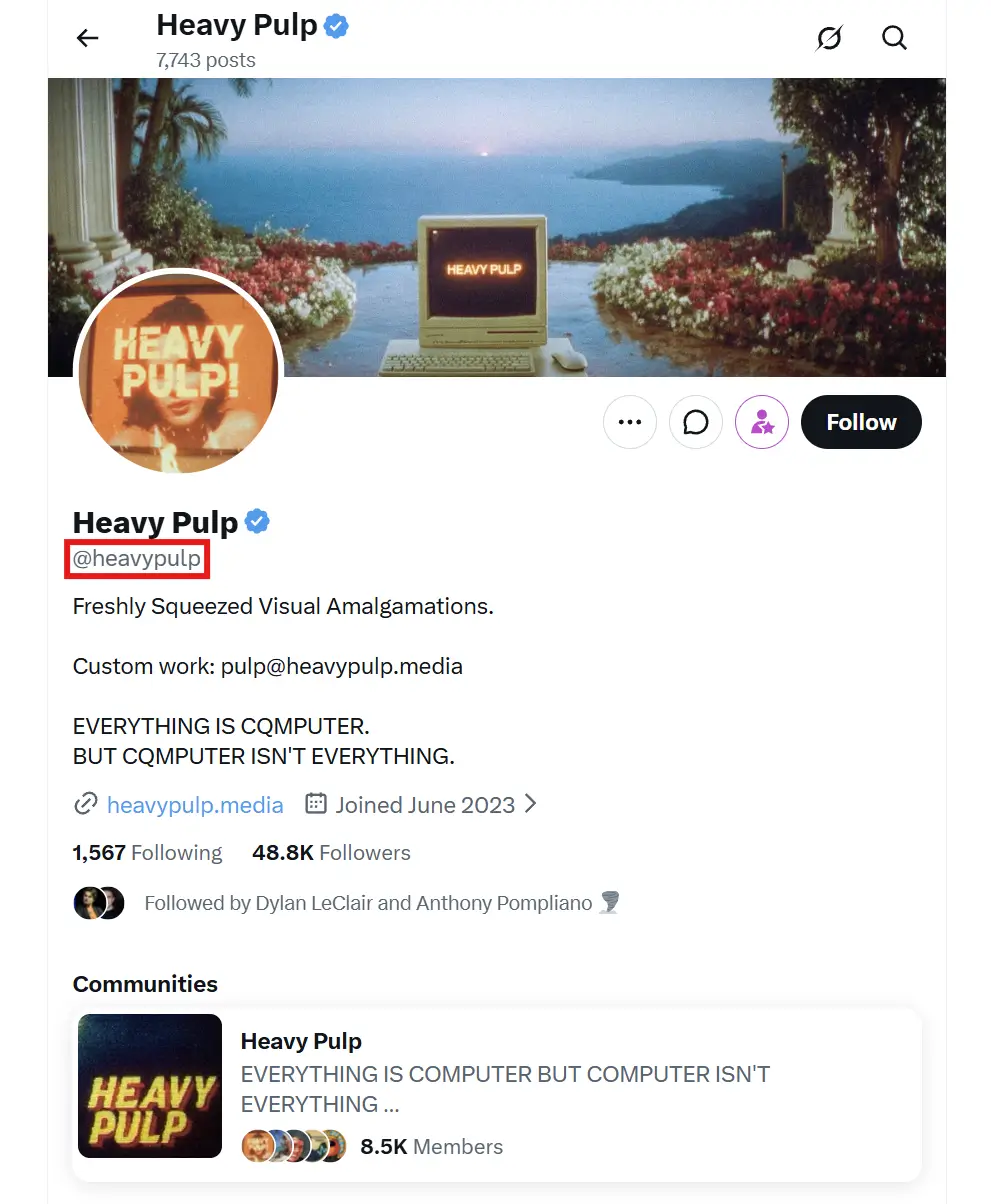
Click Profile and Copy Its URL
Open Twitter/X and copy the link of any public profile you want to download like @cristiano
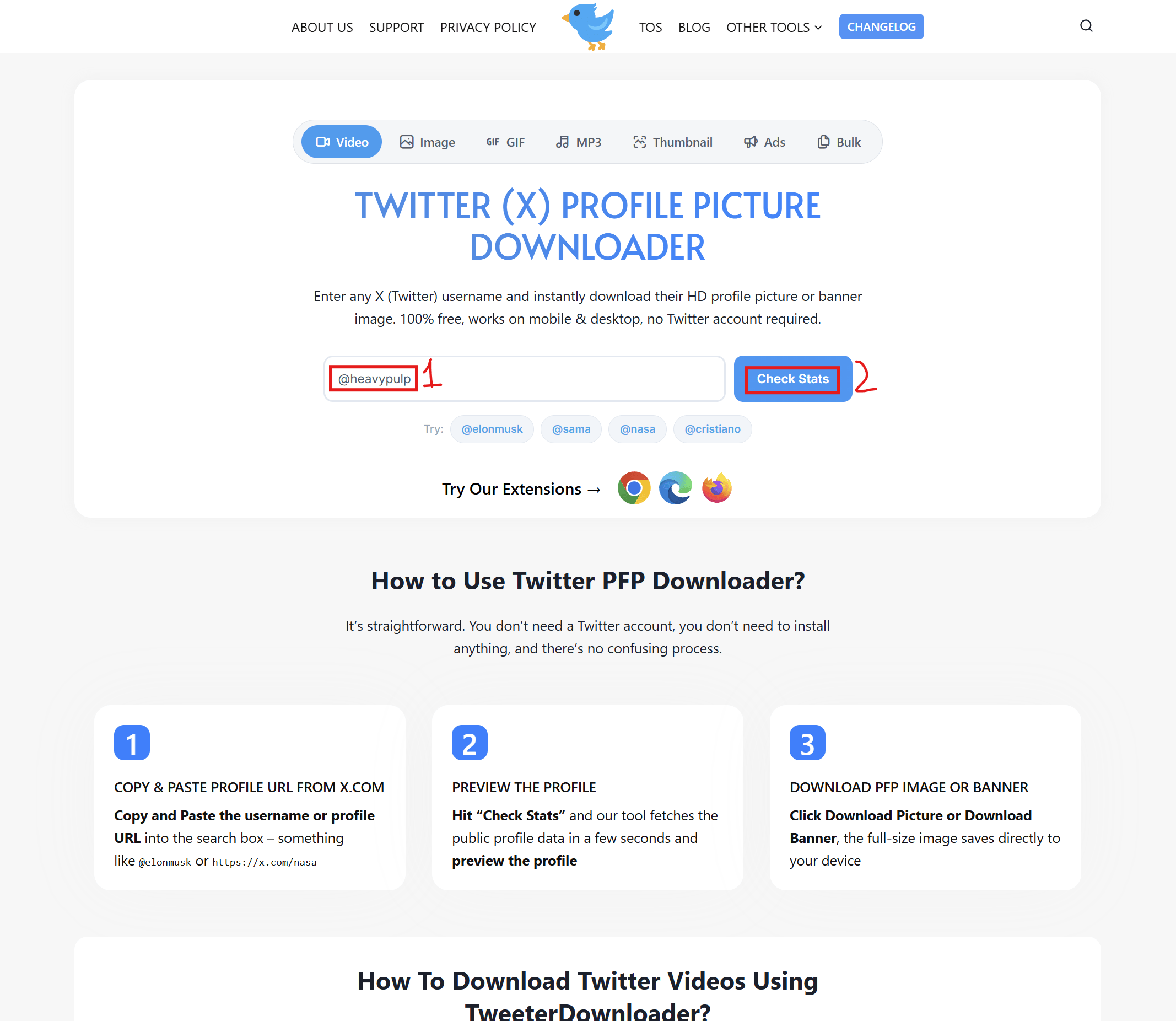
Paste Profile URL and Click “Check Stats”
Paste the copied URL of the Profile in the search input box and click on “Check Stats” Button.
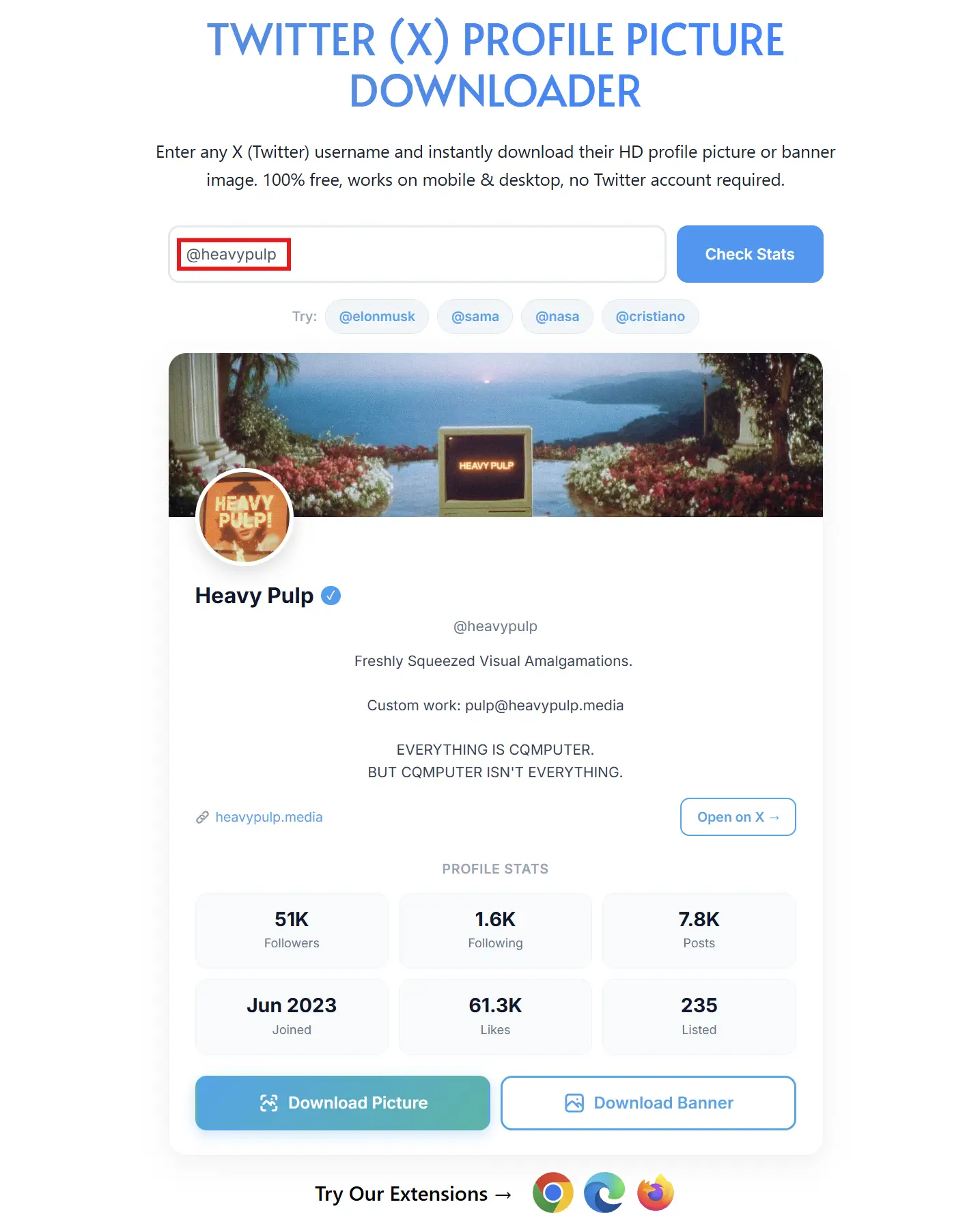
Download PFP Image OR Banner
Wait for the process to complete, then save PFP Image and Profile Banner.
Frequently Asked Questions
We get a lot of the same questions from first-time users, so we have put the answers here. Most people are either unsure about whether the tool is legal, whether it works with private accounts, or what image quality to expect.



Download Any Twitter (X) Profile Picture in Full Size Free
Have you ever tried to save someone’s Twitter profile photo and ended up with a tiny, pixelated thumbnail? It happens to everyone. Twitter crops and compresses profile pictures to a small size in the browser, so there’s no obvious “save full size” option. That’s exactly what this tool fixes.
Try Our Other Free Twitter (X) Tools:
This profile picture downloader is one of several free tools we’ve built for Twitter/X users. Each one handles a specific task like downloading videos, GIFs, images, audio, or bulk content. If you landed here looking for something a little different, one of these might be exactly what you need.
- Twitter Video Downloader
- Twitter GIF Downloader
- Twitter Image Downloader
- Twitter Thumbnail Downloader
- Twitter to MP3 Converter
- Twitter Bulk Downloader
- Twitter Ads Downloader
Our Twitter Profile Picture Downloader lets you grab any public X (Twitter) profile photo or banner image in its original, full resolution completely free, with no login and no software to install.
What You Can Download
Full-Size Profile Picture
Twitter shows profile pictures at a tiny 48×48 or 73×73 pixels in most places on the site. The actual uploaded image is much larger, often 400×400 pixels or the original resolution the user uploaded. Our tool fetches the highest available quality version, not the compressed thumbnail.
Full-Size Banner / Header Image
The profile banner (the wide cover photo behind the profile picture) is displayed at 1500×500 pixels on Twitter. Most download tools ignore this entirely. Ours fetches the full 1500×500 banner so you get the complete image, not a cropped or downscaled version.
Profile Stats You See Before Downloading:
This isn’t just a download button. When you enter a username, you see a full profile snapshot:
- Display name and @handle
- Bio / description
- Location (if the user has set one)
- Website link
- Followers count
- Following count
- Total posts (tweets)
- Total likes
- Listed count
- Account join date
- Verified badge (blue checkmark if applicable)
This is useful when you want to quickly check if a profile is real, how established it is, or just get context before downloading the photo.
Works on Any Device
The tool is fully responsive. Whether you’re on a laptop, tablet, or phone, the layout adjusts automatically. On mobile, the search input and download buttons stack cleanly so they’re easy to tap without zooming in.
No app download required. It runs entirely in your browser.
Supported Input Formats
You can enter the username in several ways and the tool will figure it out:
- http://elonmusk
- @elonmusk
- https//x.com/elonmusk
- https://twitter.com/elonmusk
It strips the URL, pulls the username, and fetches the profile, no matter which format you paste.
Is This Legal and Safe?
Yes, with one important condition: the profile must be public.
Twitter’s own API and public web pages make profile pictures of public accounts visible to anyone. We’re simply fetching what Twitter already makes publicly available and giving you a way to save it at full size. We do not access private accounts, and we do not store or share any profile data on our servers.
We also do not require you to log in or connect your Twitter account, which means your account is never at risk.
One thing to keep in mind: Downloading someone’s profile picture and using it to impersonate them, create fake accounts, or misrepresent them online is against Twitter’s Terms of Service and potentially illegal depending on your country. Downloading for personal reference, research, or legitimate professional use is generally fine.
Try it Now:
Enter any public Twitter username below and hit Check Stats. The profile will load in seconds, and you can download the picture or banner with one click.
Still have questions or need help?
Please contact us. We will reply to your message as quickly as possible.