Ever scrolled past a Twitter video and thought “damn, that cover image looks fire, I need to save it”? You’re not alone. Twitter (or X) makes it ridiculously hard to grab just the thumbnail. Right-clicking doesn’t work, long-pressing on mobile gives you nothing useful, and screenshots always come out blurry or with that big play button stuck in the middle.
That’s exactly why a lot of people end up searching for ways to download Twitter video thumbnails. Whether you need them for mood boards, design references, content ideas, or just to keep a clean still from a clip you liked, there’s a proper way to do it without the headache.
I’ve tested a bunch of methods over the years. Most of them are either slow, add watermarks, or simply don’t pull the high-resolution version. The cleanest method right now is using a dedicated tool that already handles Twitter media properly.
What Exactly Is a Twitter Video Thumbnail?

When someone posts a video on X, Twitter automatically generates a still image that shows while the video is loading or paused. That’s the thumbnail (sometimes called the poster frame). It’s usually a clean frame from the video itself, without the play button overlay when you grab the original file.
These images are typically high resolution, often 1280×720 or higher depending on the original upload. They’re perfect if you want a still that actually looks sharp instead of a compressed screenshot.
Why People Actually Download These Thumbnails
A few real reasons I keep hearing:
- Content creators and designers use them as reference or inspiration
- Marketers save interesting frames for reports or presentations
- Some people just want a clean still from a funny or important clip without downloading the whole video
- Researchers and archivists collect visual material from public posts
Whatever your reason, the goal is the same, get the original quality file, not a low-res version or a picture with UI elements stuck on top.
The Easiest Way to Download Twitter Video Thumbnails (Step-by-Step)
This is the method I recommend because it consistently gives the clean HD version and takes under a minute.
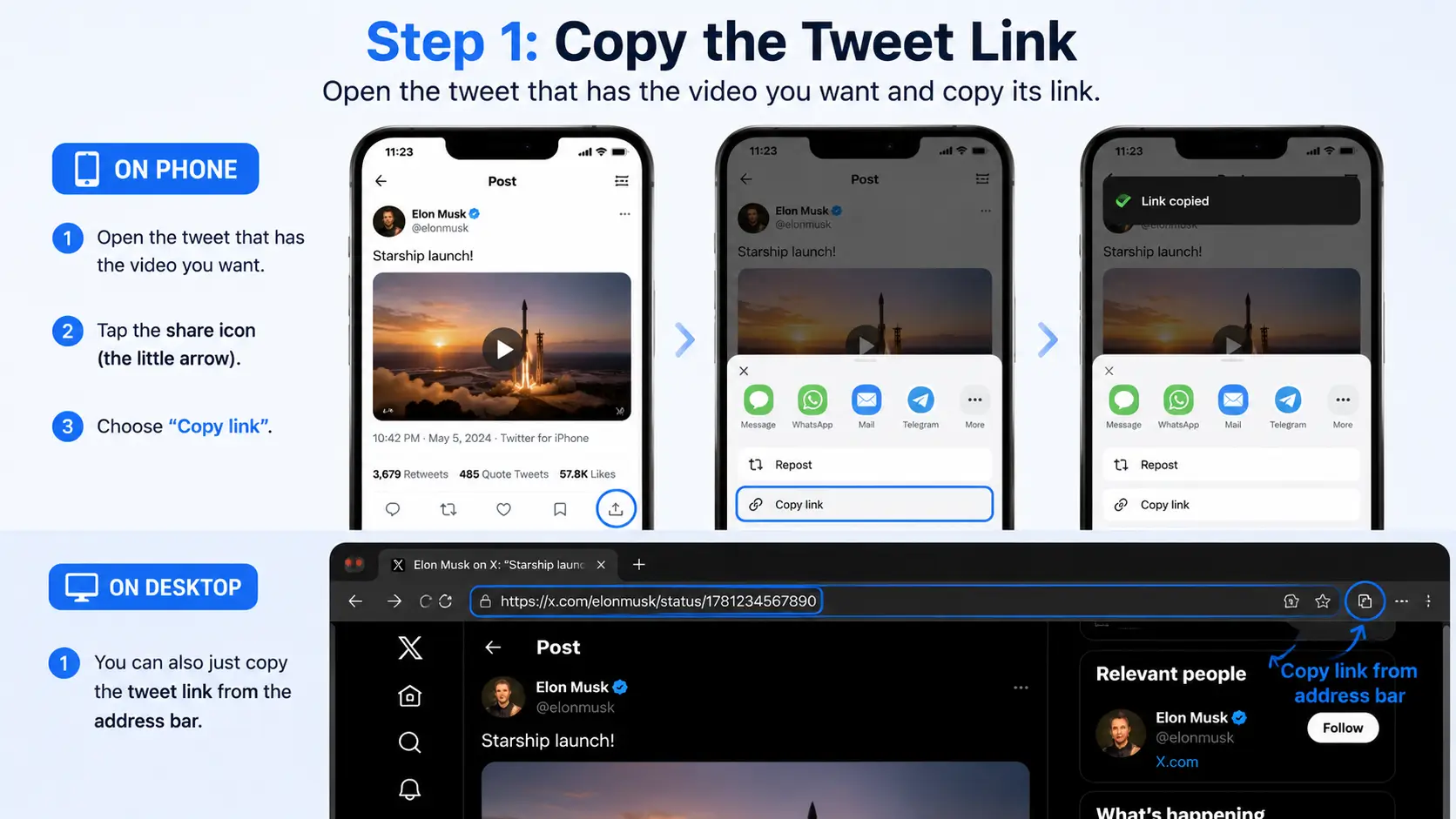
1. Open the tweet that has the video you want. On the phone, tap the share icon (the little arrow) and choose “Copy link“. On desktop, you can also just copy the URL from the address bar.
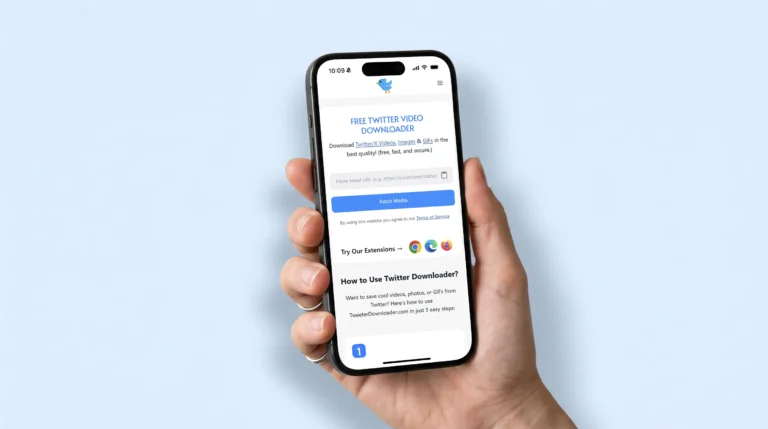
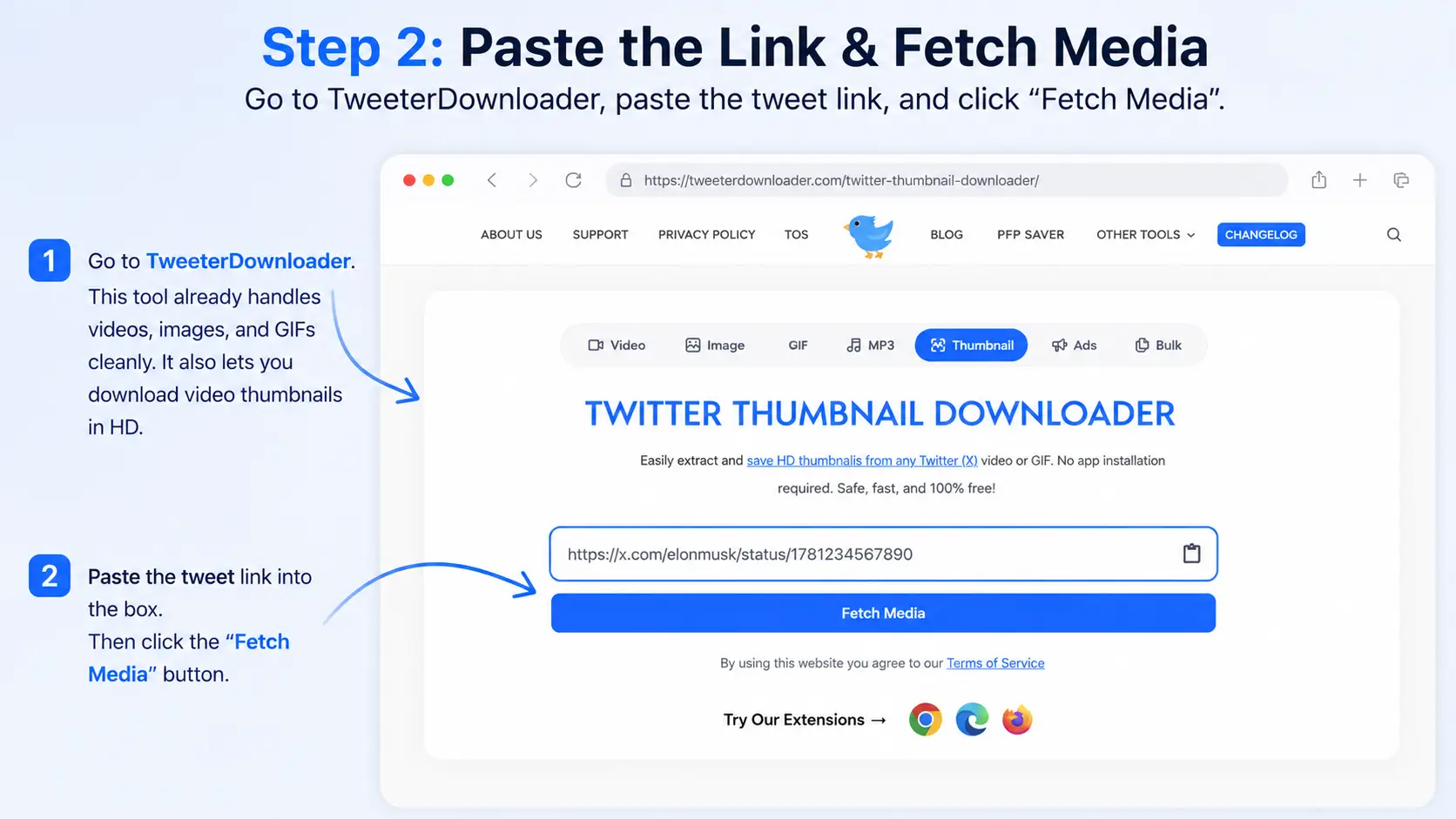
2. Go to TweeterDownloader. This is the same tool that already handles videos, images, and GIFs cleanly. One of its exclusive features is pulling video thumbnails in HD.
3. Paste the tweet link into the box and hit the button (it usually says Fetch Media or Continue).
4. After a couple of seconds the tool shows you the available media. Look for the thumbnail/poster image option, it appears alongside the video download choices.
5. Click download on the thumbnail. It saves as a regular JPG or PNG with no watermark and no play button.
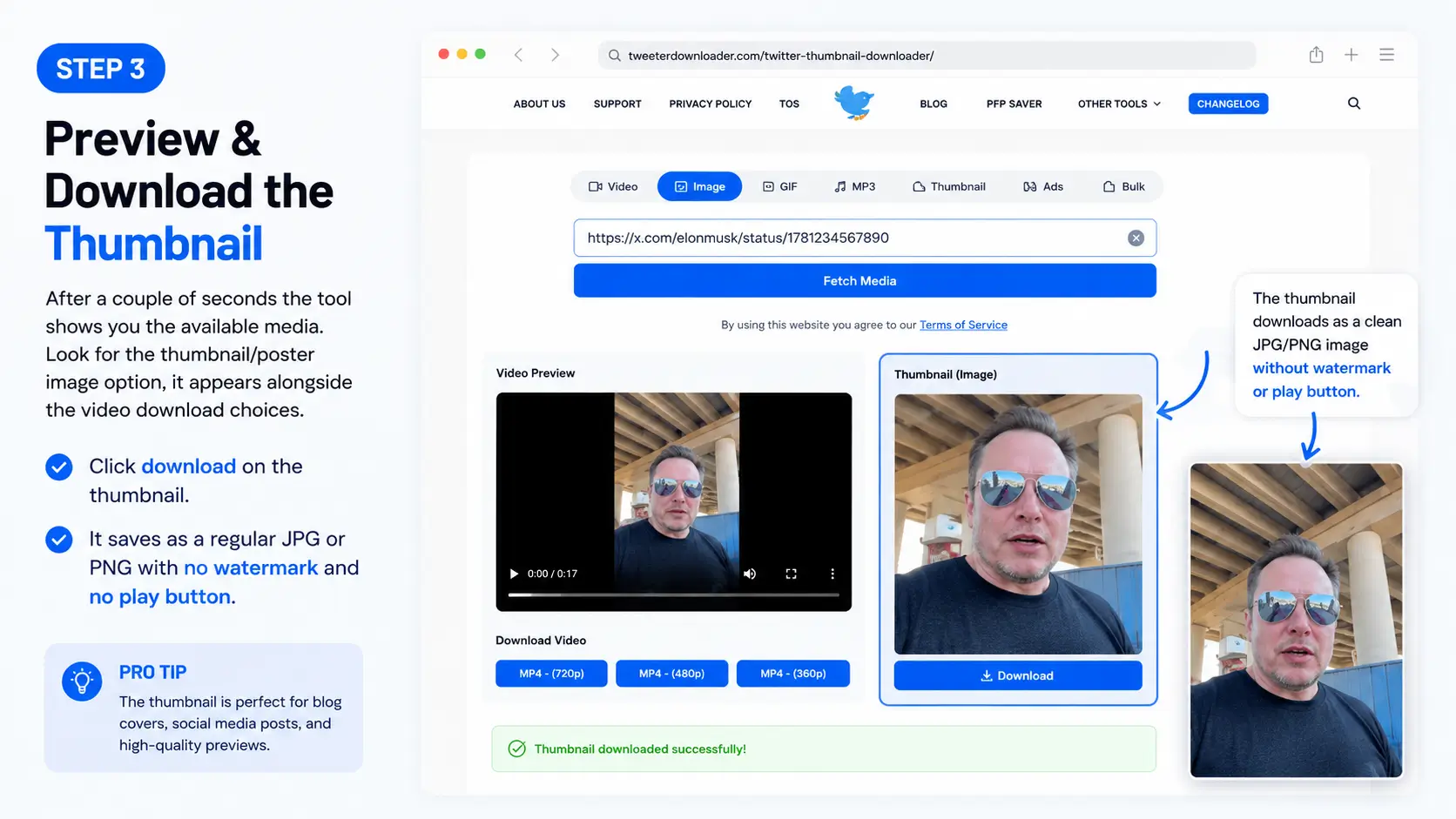
That’s it. The file lands in your downloads folder ready to use.
You can also use the dedicated Twitter Image Downloader page if you prefer, but the main tool already covers thumbnails as part of its media fetch.
If you download videos regularly, the same process works for full videos too, just choose the quality you want after the link is processed. Many people who start with thumbnails end up using the full Twitter video downloader for everything.
What Quality Can You Expect?
Most of the time you get the highest resolution Twitter itself stores for that video. For a good number of clips that means a clean 1280×720 or better image. It’s the same frame the platform uses, just without any overlays.
No compression beyond what Twitter already applied, and no extra logos added by the tool.
Other Methods (and Why They’re Usually Worse)
Browser inspect element You can dig into the page source and hunt for the media URL. It works sometimes, but the links expire quickly and the process is annoying on mobile. Not worth the hassle for most people.
Screenshot + crop Fastest if you only need something rough, but quality is always lower and you still have to edit out the play button and interface.
Third-party random thumbnail sites Many of them either fail on newer X links, add their own watermarks, or serve upscaled soft images instead of the real file.
The dedicated media downloader approach is simply more reliable in 2026.
Quick Tips for Better Results
- Always use the original tweet link, not a shortened one if possible.
- Public tweets work best. Private or protected accounts won’t load.
- If the thumbnail looks soft, try the video download first and then grab a frame yourself, but for pure posters the tool already does the clean extraction.
- On mobile the process is identical; just paste the link in your browser.
- If you need images from the same tweet (not just the video poster), the Twitter image downloader page is built exactly for that.
For bulk work or more advanced needs, check the guide on how to download Twitter videos in bulk.
Common Problems and How to Fix Them
“No media found” The tweet is probably deleted, private, or the link is incomplete. Double-check you copied the full status URL.
Thumbnail looks low quality Some older or low-bitrate videos simply don’t have a high-res poster. In that case the tool gives you the best available version.
Download button does nothing Try a different browser or clear cache. The site works without login on Chrome, Safari, Firefox, and Edge.
If something keeps failing, the support page is there.
Final Thoughts
Downloading Twitter video thumbnails shouldn’t feel like a tech puzzle. Paste the link, grab the clean HD image, done. That’s the whole point of tools like TweeterDownloader, they remove the friction Twitter itself never fixed.
Next time you see a video still that you want to keep, you already know the fastest route. And if you also need the full video or the images from the same post, everything lives in one place.
Go try it with any public video tweet and you’ll see how straightforward it actually is.